ELI
A downloadable tool for Windows, macOS, and Linux
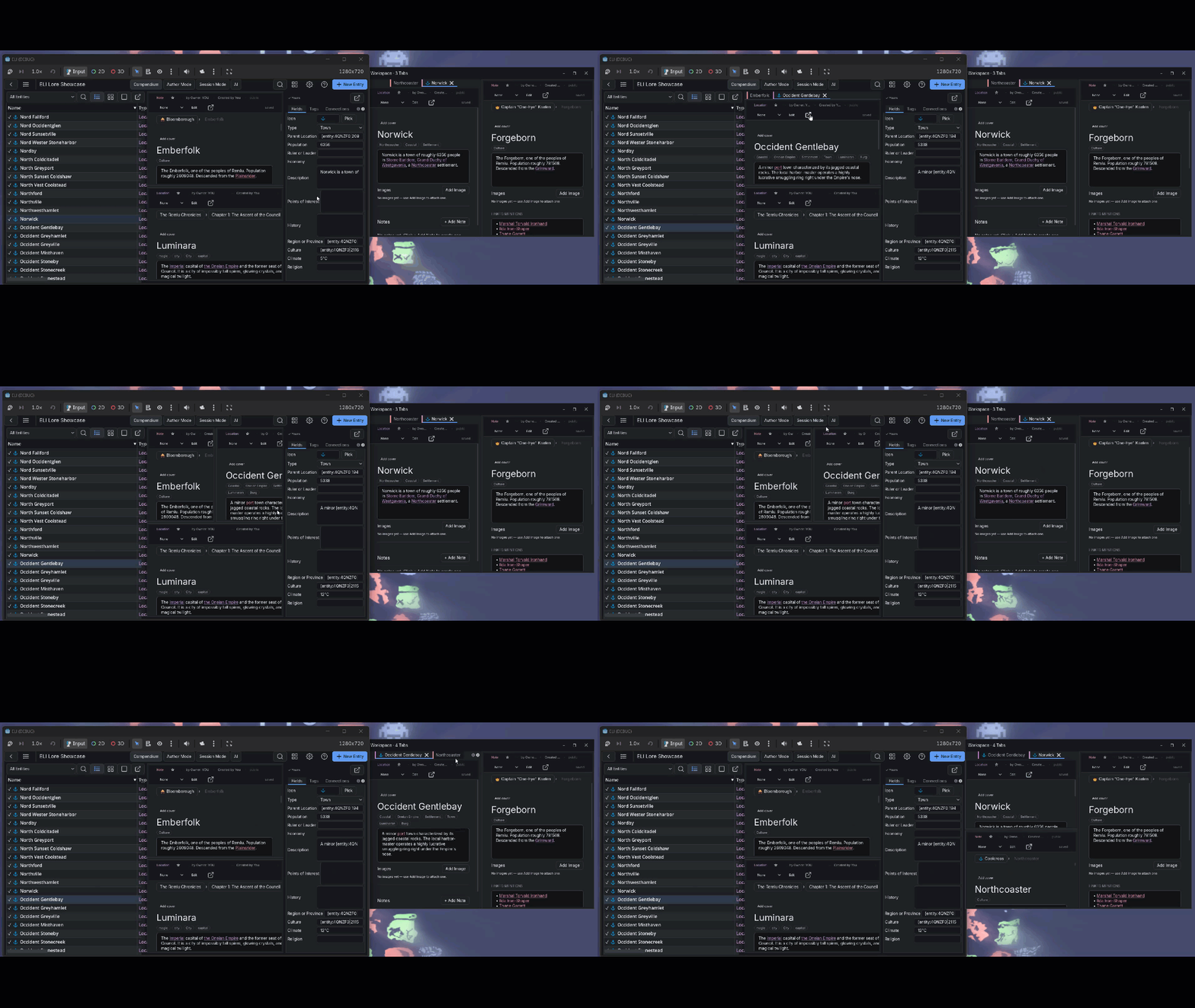
ELI is a campaign notebook that runs on your hard drive.
Your world is a folder of SQLite files. I designed it that way deliberately: you can back it up, copy it, open it with any SQLite viewer, and restore an older version from inside the app. No login is required to open your own data. No server goes down and takes your campaign with it. ELI snapshots your world before any migration runs, so an update cannot break or trap data you spent months writing.
The tradeoff is real: some features I built around this architecture - collaborative sync in particular - require more setup than a hosted SaaS. I describe that honestly below.
Who I built this for
ELI is for people who run tabletop campaigns and need a structured wiki, not a general-purpose note app they have to bolt structure onto themselves.
- Game Masters who want a searchable, cross-linked reference for characters, locations, factions, items, and rules - where clicking a character's name in a location description navigates to that character's page.
- Writers who need a manuscript binder and a world database in the same tool, with the ability to attach timeline events and entity connections to chapters.
- Obsidian users who have hit the ceiling on what flat markdown files can represent and want relational structure without giving up local-file ownership.
Who should use something else
- If you need real-time co-editing in the same paragraph, use Google Docs. ELI's multiplayer is a GM-and-party model: one writer per entity, synced between sessions. Think shared Dropbox folder, not collaborative word processor.
- If you need a polished manuscript export for a publisher - proper fonts, page layout, print margins - buy Scrivener. ELI's Author Mode handles word targets and chapter structure, but its export is HTML, Markdown, or RTF, not publication-ready PDF.
- If you want hosted sync with zero server setup, try World Anvil or Kanka. ELI's sync requires a server you run yourself - a free binary on a spare PC. I built a setup wizard that handles the download and configuration, but you are still the one running the server.
- If you want a mobile app, look elsewhere. ELI is Windows and Linux. macOS builds are unsigned - right-click the icon and select Open to bypass Gatekeeper.
The features
Custom entity templates
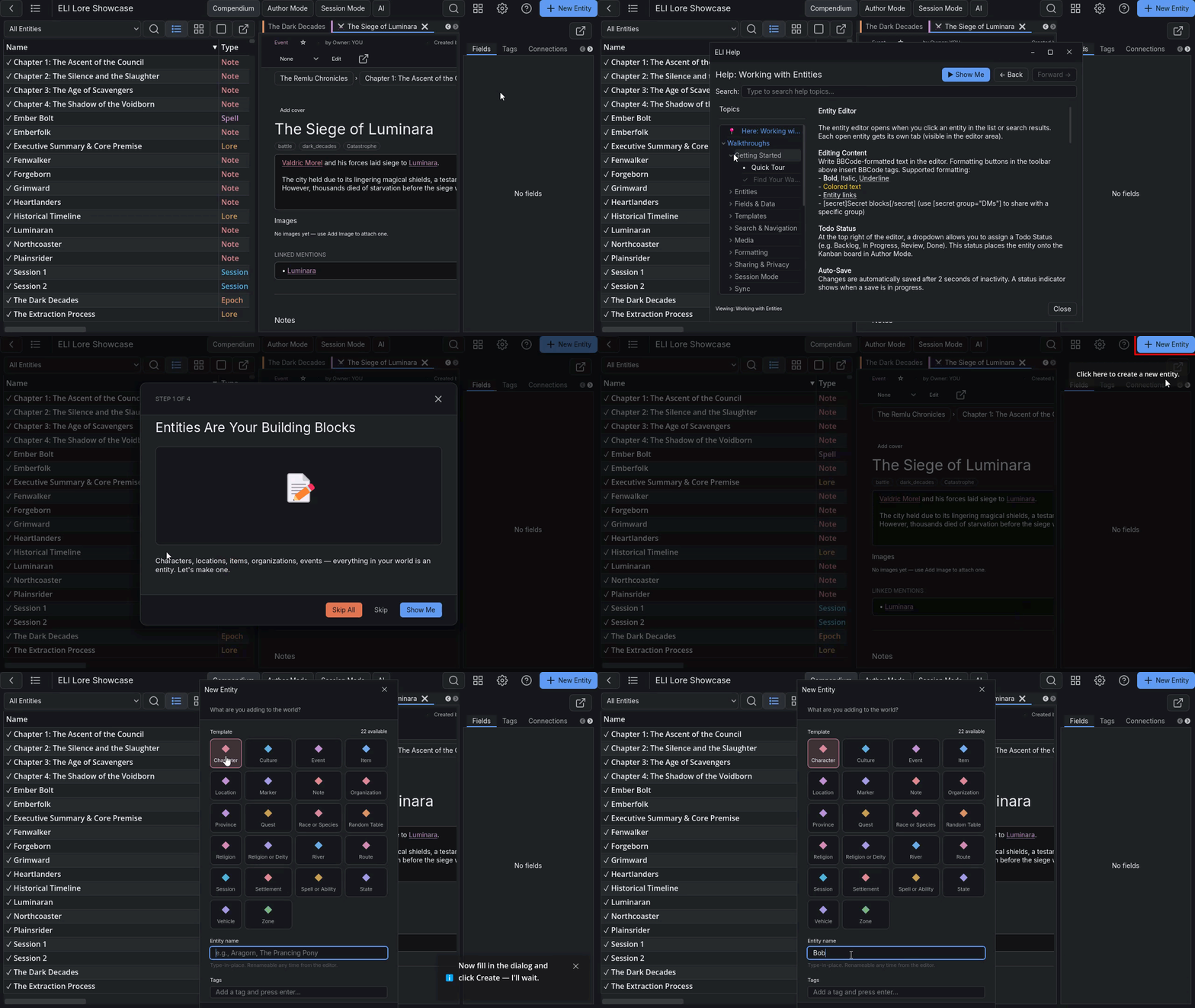
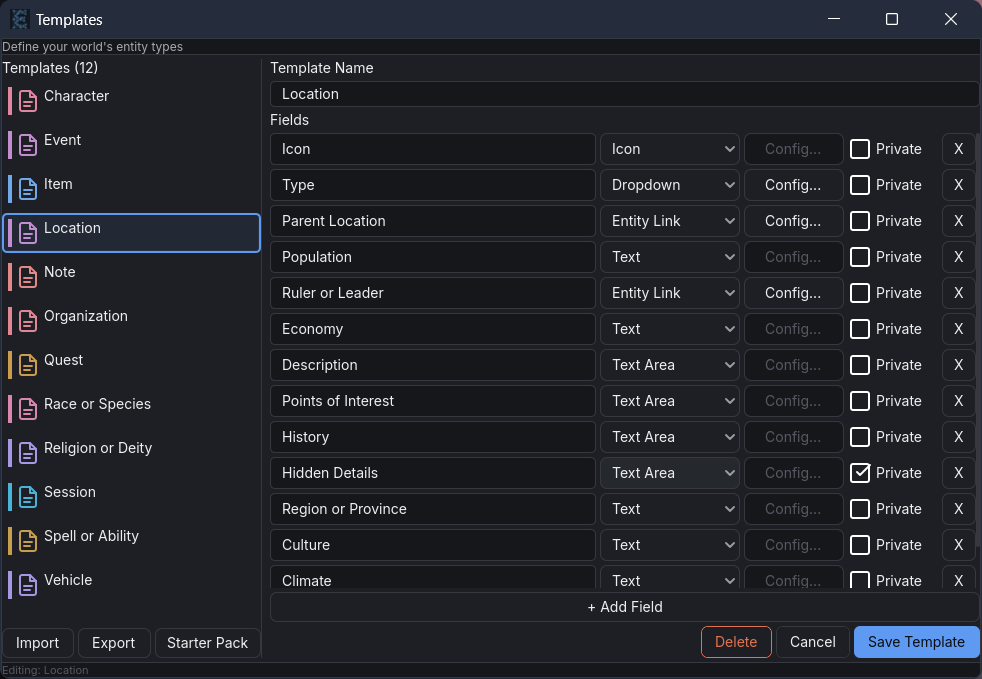
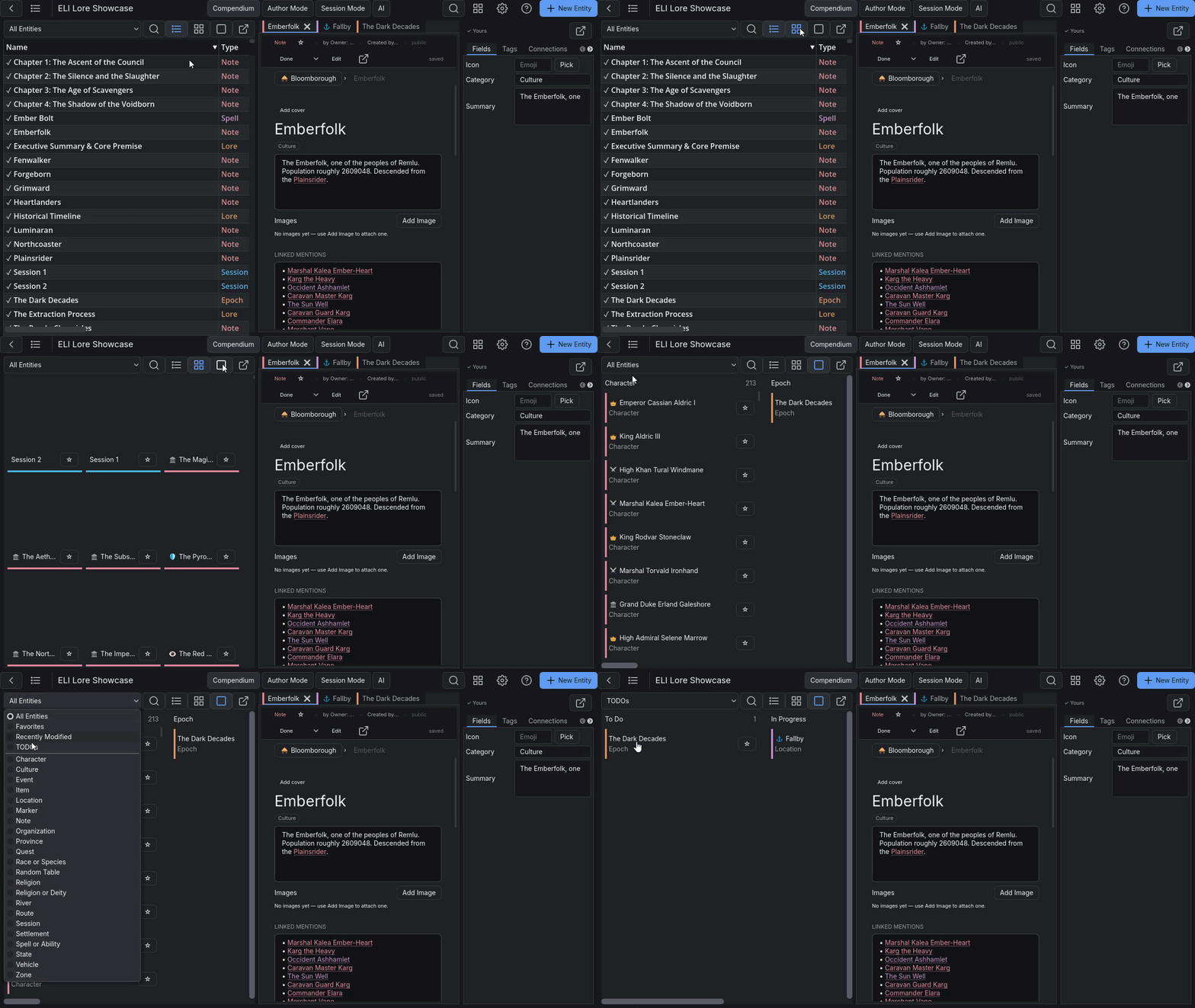
I did not hardcode entity types. There is no preset "Character" or "Location" category. You build templates with whatever fields your system needs: text, numbers, dropdowns, date fields, entity links, repeating row groups. A D&D campaign gets different templates than a Blades in the Dark campaign. Each template gets a color and an icon so your entity list stays readable when you have two hundred entries.
The tradeoff: there is no pre-built template for every game system. You define your schema, or you install a community pack that defines it for you.
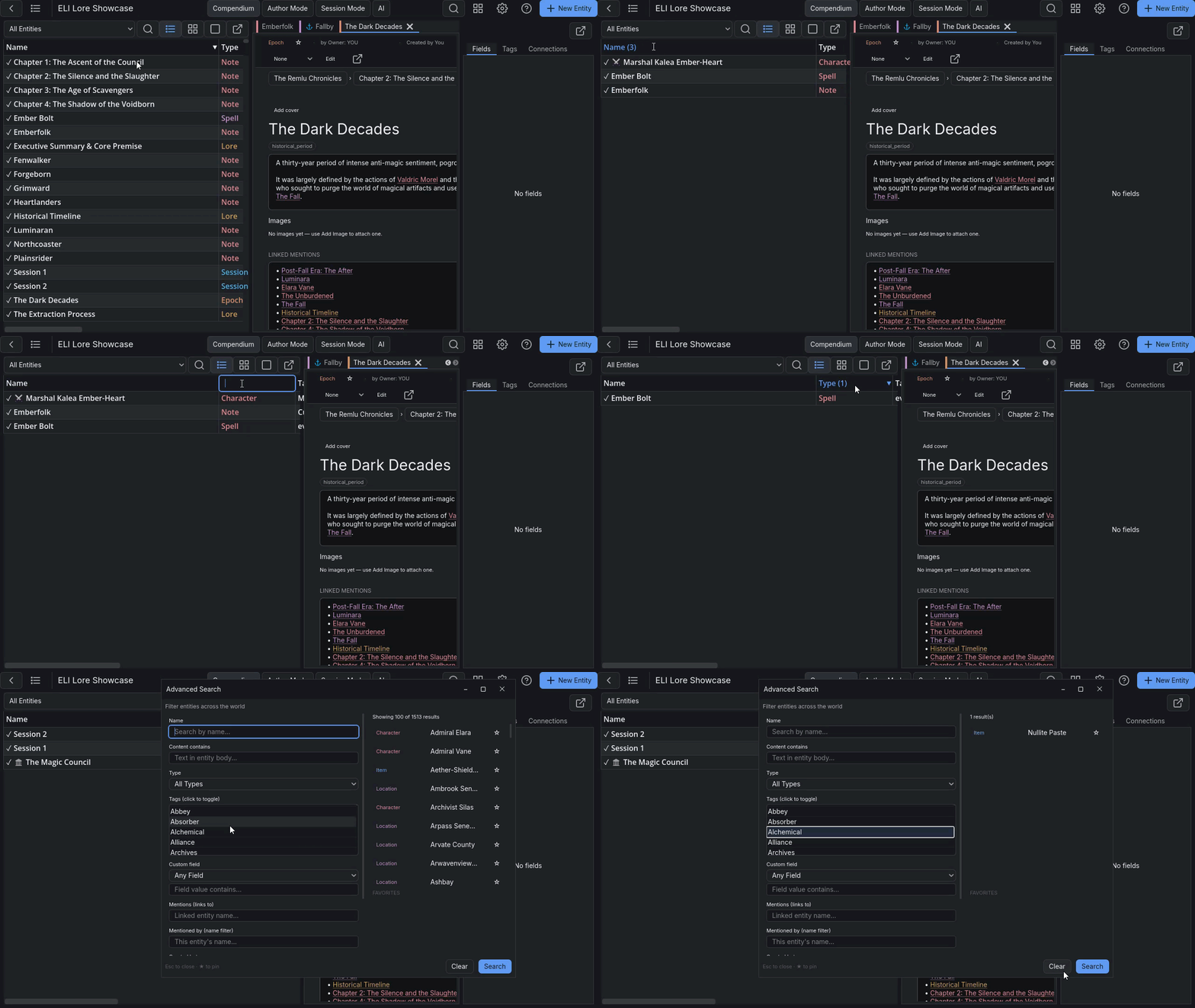
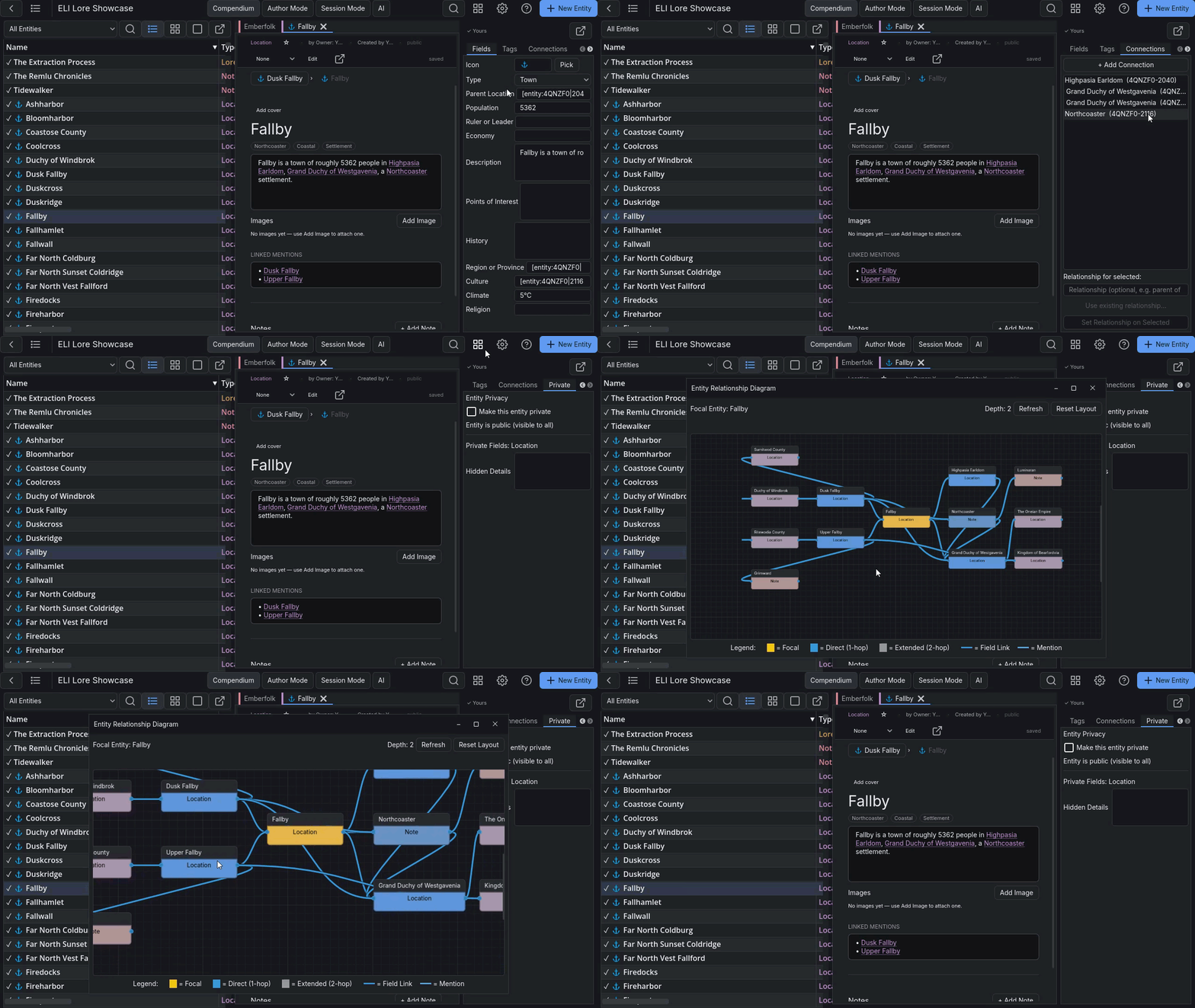
Cross-linked entities and a relationship graph
Every entity mention in your content is a live link. Click a character name to navigate to that character. The relationship graph shows every entity and the connections between them. You can name connection types ("parent of," "allied with," "opposes") and filter the graph by type, direction, or hop distance. A family tree is the graph filtered to people and parent-child connections. An org chart is the same graph filtered to a different type.
Maps with linked pins
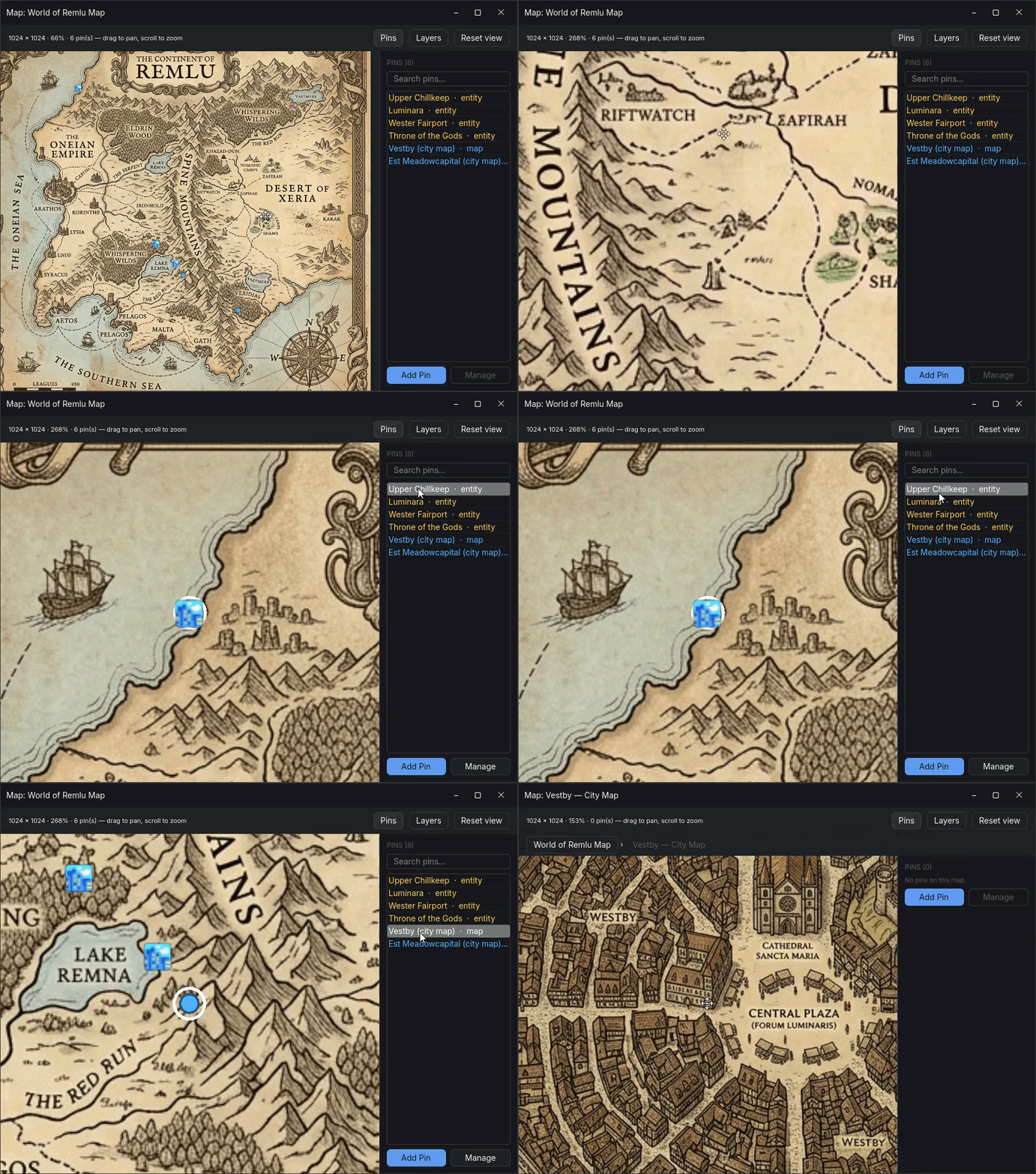
Import any image as a map. Drop pins, link each pin to an entity. Clicking a pin navigates to that entity. Clicking the entity link navigates back to the map and highlights its pin. You can nest maps - a dungeon room inside a city map inside a region map. A pin list panel shows all pins on the current map as a text list so you are not hunting for small icons on a large image.
Fantasy calendars and an interactive timeline
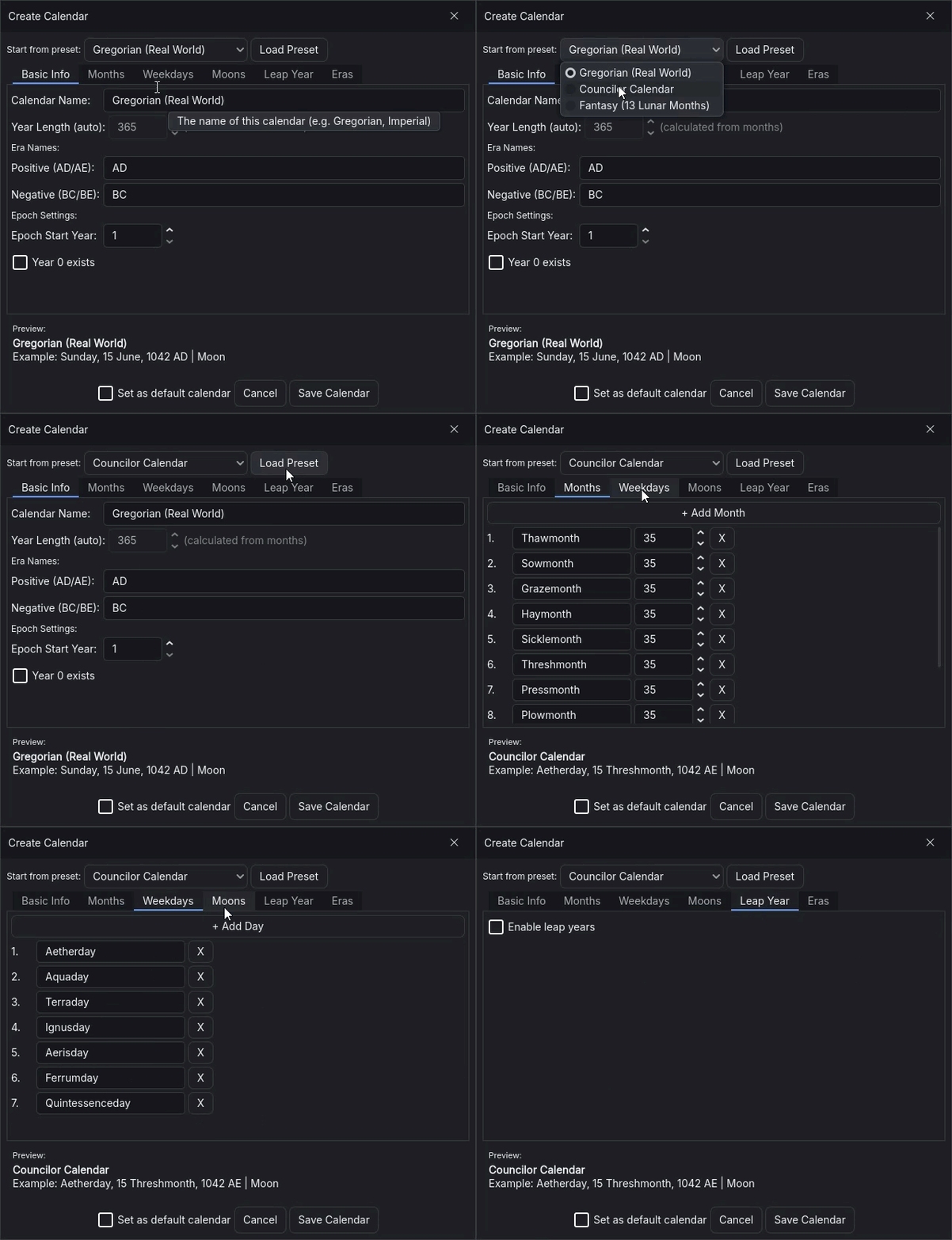
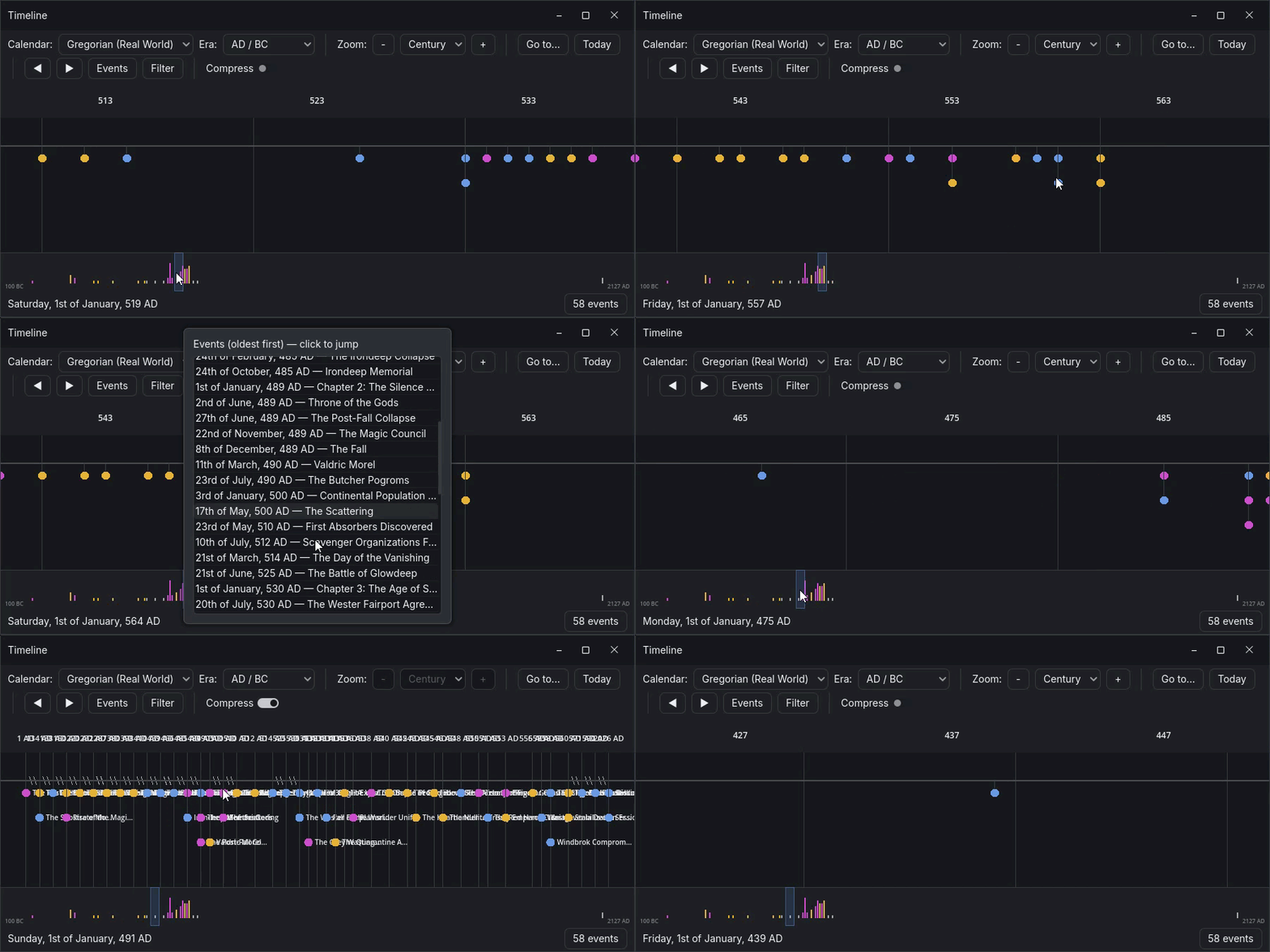
Define your own calendar: custom month names, weekday names, multiple moons with phase cycles. Attach in-world dates to any entity field. The timeline shows events and epochs at five zoom levels from individual days out to whole ages, with a minimap for long histories. You can filter by epoch, jump to a date, and click an event to open the linked entity.
Inline privacy for GMs
The content editor uses BBCode. I kept BBCode specifically because the parser can handle tags like [secret] without fighting a DOM tree. A [secret] block is visible only to the entity's owner. Sharing your world with players shows them the public version of the same document. No duplicate entries, no separate GM and player versions of a file.
I will be honest about the BBCode tradeoff: it is not a WYSIWYG editor. There is a formatting toolbar and slash commands, but the source text is still markup. If you have used Discord or Reddit formatting you will find it familiar. If that sounds unacceptable, ELI is probably not for you.
Azgaar Fantasy Map Generator import
If you build your world in Azgaar's Fantasy Map Generator, I can import the .map file directly. ELI reads the cultures, settlements, states, provinces, religions, rivers, and markers, creates entities for each, and places pins on the imported map image. It links states to cultures, routes between settlements, and diplomatic relationships between states. Re-import a newer version of the same map and ELI updates the Azgaar-owned fields without touching the lore you wrote. Export back to a .map file Azgaar can load.
PDF reference library and in-app viewer
Import a PDF rulebook or adventure module. ELI indexes it by page and chunk, so you can search it in plain English and get back the relevant passage with a page citation that jumps the in-app viewer directly to that page. There is also an extraction mode: ELI reads an adventure PDF and proposes entities - characters, locations, items - as drafts you review and confirm before anything is written to the database.
Both modes require a language model to be configured. The in-app viewer (pan, zoom, page navigation, citation jump) works standalone with no extra configuration.
Freeform board
A freeform brainstorming surface alongside your wiki. Drop text notes anywhere, wire them with connections, group them under background shapes. Notes can be styled, stacked, and keyboard-navigated. Any note can be promoted to a full entity when it is ready to live in the database. The board itself is an entity, so it syncs and respects privacy like everything else.
Multiplayer sync
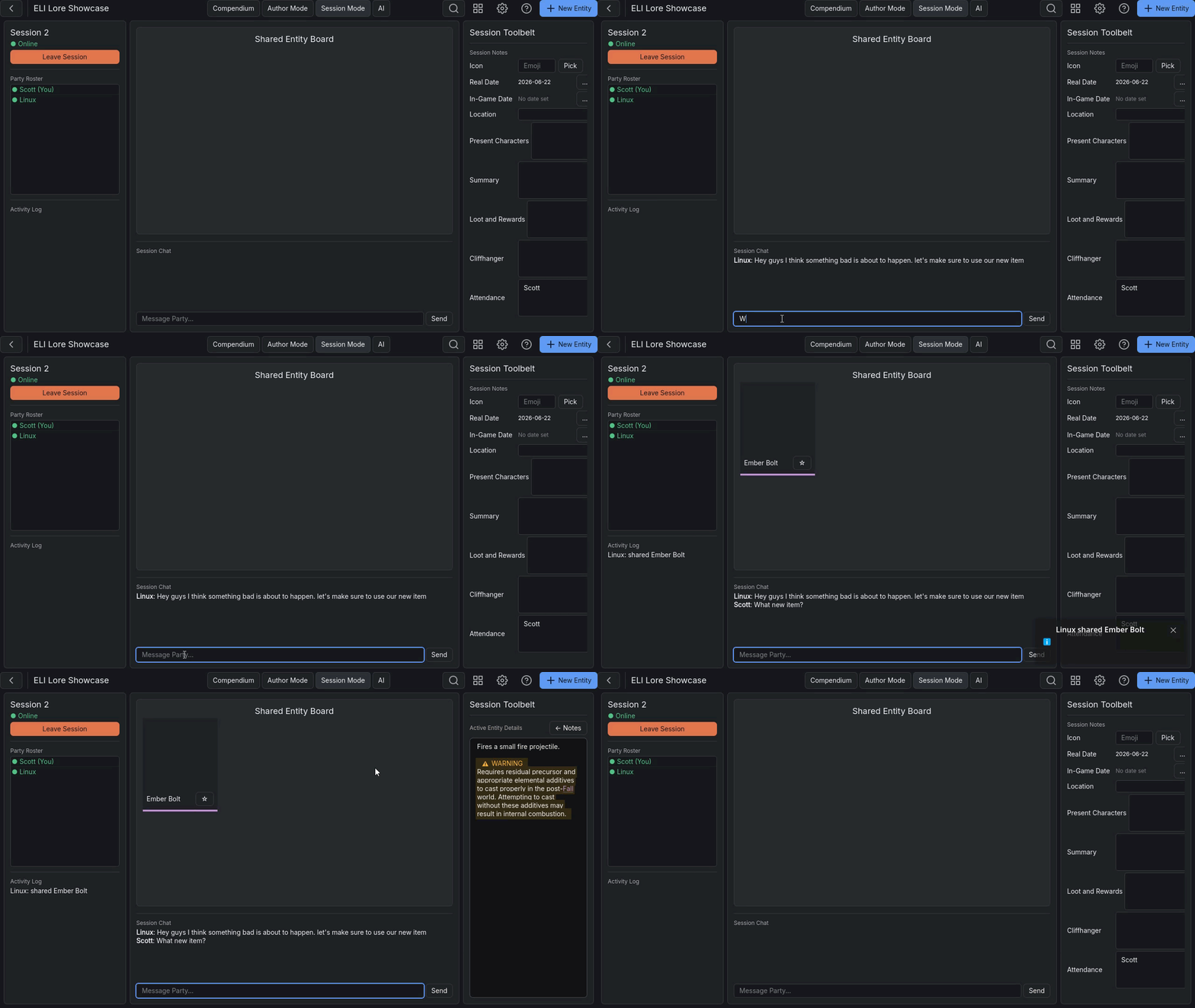
Each player's data lives in a separate SQLite file. During sync, ELI transfers those files between devices via a server you run. No conflict resolution is needed because each player is the sole writer of their own file. You see a teammate's characters because their file is attached to the shared world on your machine - they did not write directly to your database.
I built a wizard that downloads PocketBase (a free server binary, roughly 20 MB), installs it, configures the required collections, creates your account, and gives you the server address. If you have Tailscale installed, your friends can join over the internet without port forwarding. Without Tailscale, setup is more involved.
The constraint: no real-time presence within a document. If two people edit the same entity simultaneously, the later sync wins. This is a workable flow for a GM and a player party. It is not a workable flow for two writers working in parallel on the same document.
Author Mode
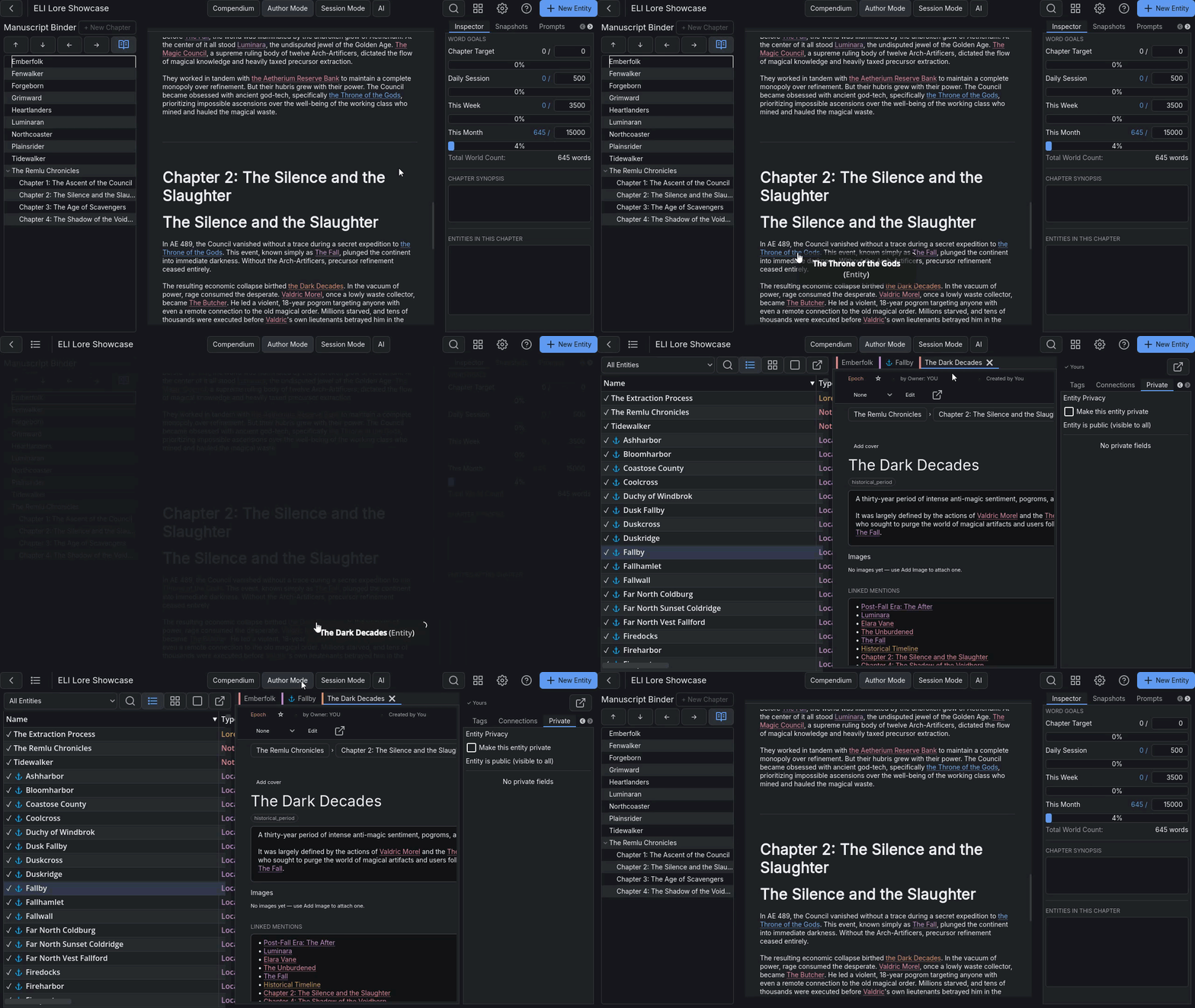
A manuscript binder alongside your world database. Nest and reorder chapters via drag and drop. Set word targets per chapter, track daily and weekly progress, take snapshots of chapter versions. Character arcs attach to timeline events so you can track where a character is in the story relative to the world timeline. Includes a forward-only freewrite mode (backspace disabled for the duration of a sprint timer).
The honest comparison: Author Mode handles the structural and tracking side of fiction writing well. For print-ready manuscript output with publisher-standard formatting, buy Scrivener instead.
Content packs and a community registry
Templates, starter worlds, and ruleset content can be bundled into a .eli-pack file and installed from a file picker or browsed from an in-app registry. The registry pulls from a public GitHub index - no central server I have to maintain. Linking your itch.io account lets you verify and install packs you have paid for on itch. I ship a system-neutral generator pack (NPCs, factions, settlements, hooks) and an Ironsworn journaling pack (CC-BY, full rules) out of the box.
Export
Markdown (Obsidian-compatible wiki links), HTML (static, self-contained web reader with search and cross-links), JSON, RTF, Fantasy Grounds XML, and Foundry VTT JSON. The web reader export produces either a single .html file you can email or a folder you can upload to GitHub Pages or itch. Your data is not locked in.
Obsidian migration
A guided wizard crawls a vault directory, maps frontmatter tags to custom entity templates, copies image assets, and translates [[Wiki Links]] into relational entity references. It is one-way: after migration, ELI is the source of truth. The relational features ELI provides cannot be represented losslessly back as flat markdown.
Before you download
- Windows and Linux only. macOS builds are unsigned.
- Content editing uses BBCode markup, not a WYSIWYG editor.
- Multiplayer requires a server you run yourself. A setup wizard is included.
- No mobile. Desktop only.
- This is early access. I use ELI daily for my own campaigns and it is stable, but some rough edges remain and I am still building.
Frequently asked questions
Can I try it without setup?
Yes. A sample world opens immediately on first launch with no configuration required.
Will an update ever break my world data?
ELI takes a full snapshot of your world folder before running any migration. You can restore the snapshot from inside the app. I also keep prior releases downloadable so you can roll back the application itself if needed.
What are the optional tools that require extra configuration?
PDF question-answering, PDF entity extraction, and the in-app world-search and drafting tools all require a language model to be configured separately - either a local one running on your own machine or a cloud API key you supply. Every other feature in ELI works with no extra configuration.
What does "self-hosted sync" mean exactly?
You run PocketBase on a PC you control. PocketBase is a single binary, roughly 20 MB, no dependencies. The setup wizard in ELI downloads it, configures it, and creates your account. Tailscale is the easiest way to expose it to friends on the internet - the wizard handles Tailscale detection and configuration if it is installed. Without Tailscale, you need to handle network access yourself.
Why BBCode and not a rich text editor?
The [secret] tag system is the main reason. Parsing a custom tag that hides content from some viewers and not others is clean and reliable in plain text. Implementing the same behavior in a DOM-based editor means fighting the editor's internal state every time it formats or re-renders. I looked at available WYSIWYG addons for the engine I use and none of them could handle custom inline tags without significant data loss on round-trip.
How does multiplayer handle conflicts?
Each player owns one database file and is the only writer to it. Sync transfers files between devices. There is no row-level merge because the data never diverges at the row level - it just has not been distributed yet. Two players editing different entities simultaneously is fine. Two players editing the same entity simultaneously means the later push overwrites the earlier one on the next pull.
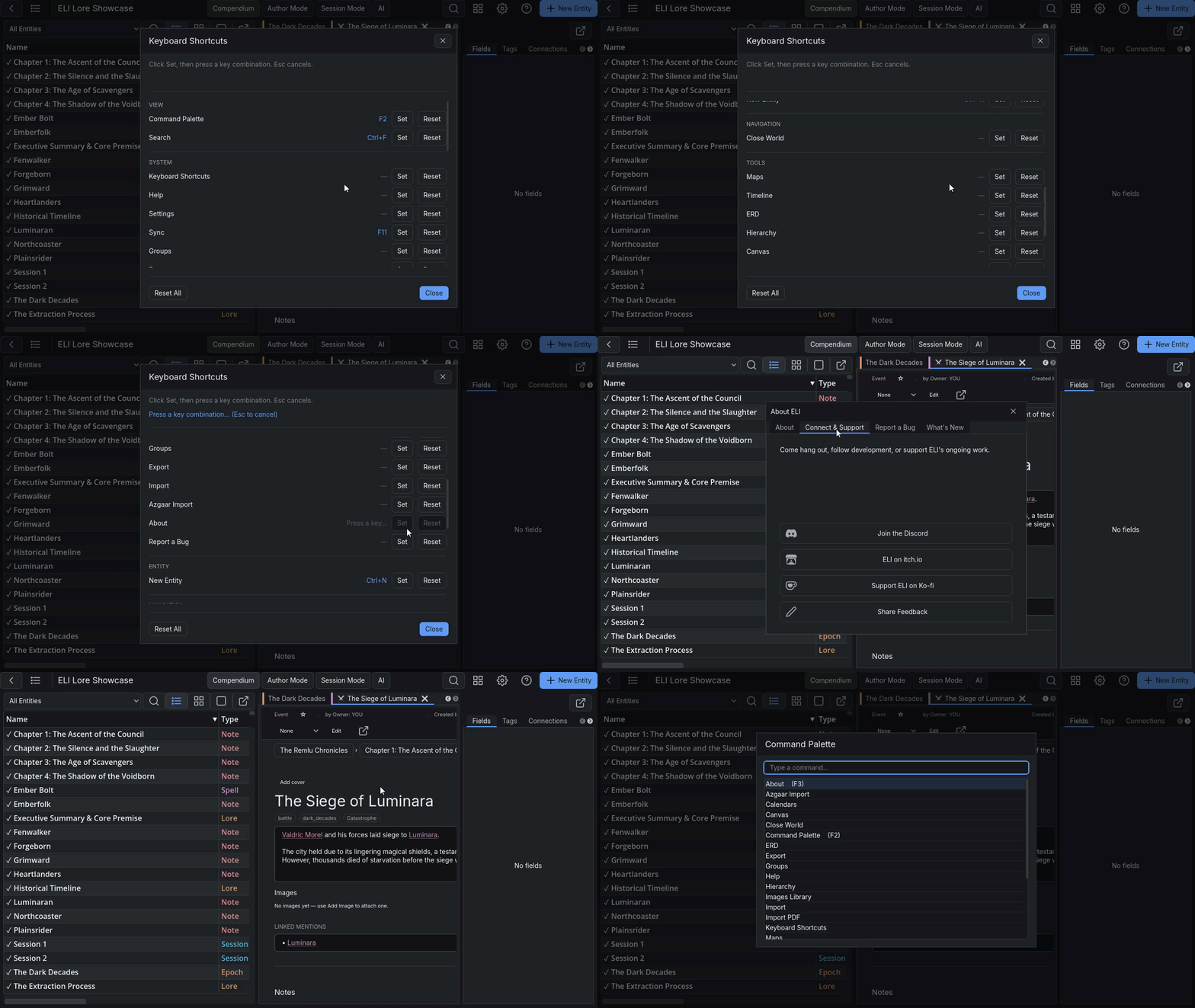
I build ELI alone and I actively read every bug report. Use the in-app report under About, or post in the community tab. I will respond.
Download
Click download now to get access to the following files:
Development log
- Introducing Lite Mode5 days ago
- Gamifying the Manuscript (Writing Sprints and Lipograms in Godot)6 days ago
- Local-First Model Adapters (Implementing Groq, NVIDIA, and Ollama in Godot)7 days ago
- No File Size Limits (The Benefit of Local Storage)8 days ago
- ELI vs The Industry Standard (articy:draft)9 days ago
- Rebuilding a Keyboard-First Freeform Board in Godot10 days ago
- Exporting Without a Server (The Architecture of Single-File HTML Worlds)11 days ago
- The Power of Spatially Unconstrained Brainstorming (The Freeform Board)12 days ago